Instagram Copy Caption
"Instagram Copy Caption" is the process of duplicating the caption—the text that appears beside an Instagram photo. Instagram users can personalize their photos and videos by adding captions describing, explaining, or commenting.
Please wait
No watermark
HD quality
Fast download
Easily editable
Any format
What Is Instagram Copy Caption?
"Instagram Copy Caption" is the process of duplicating the caption—the text that appears beside an Instagram photo. Instagram users can personalize their photos and videos by adding captions describing, explaining, or commenting.
The ability to copy captions from Instagram posts is not a built-in function. So, what is the solution?
In response to this restriction, third-party applications and programs have emerged to facilitate copying text from Instagram posts, including captions, comments, and more.
Brands and producers who want to study the wording of successful posts, users who wish to store information, and users who want to distribute content with correct credit can all benefit from these external services.
The good news is that a web software called 4ksaver.com can help you save and copy Instagram captions more easily. If you want to download Instagram content fast and free without making an account, the 4ksaver tool is an online service that offers many ways.
Users who have problems automatically downloading Instagram captions might use this service to save time typing them in.
A practical approach for copying Instagram captions by 4ksaver
4ksaver is an online and free site for downloading all content Instagram, and here's a typical approach for simulating Instagram captions as one of the features of the app:
1
Open the Instagram app.
Launch 4ksaver on your mobile device. This might necessitate visiting a web-based service or downloading an app from the respective app store.

2
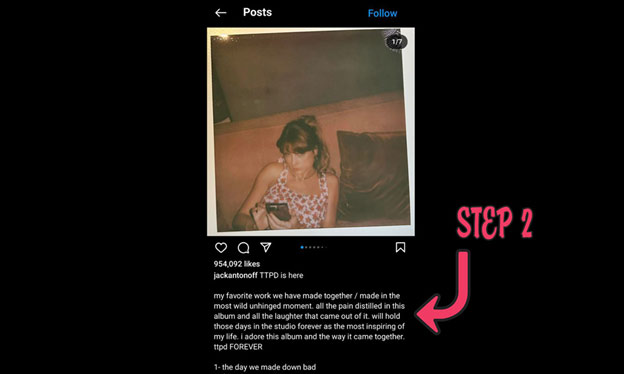
Find the Instagram post.
Locate the Instagram post whose caption you want to copy. This can be accomplished using Instagram's search tool, browsing your feed, or looking for a particular user's posts.
3
Copy the Instagram post's URL.
Press on the three dots (…) at the top or bottom of the post, according to your device. To copy the post's URL to your clipboard, choose "Copy Link" from the display menu.
4
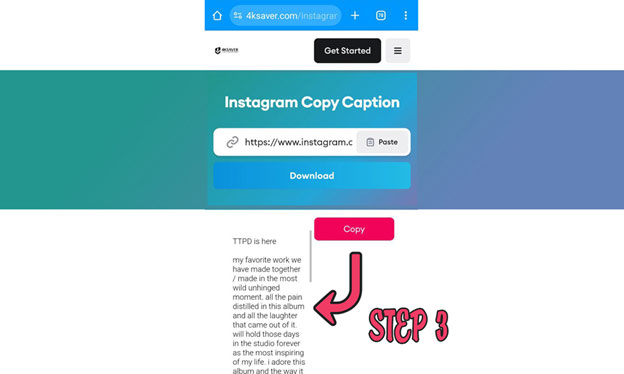
Insert the copied URL.
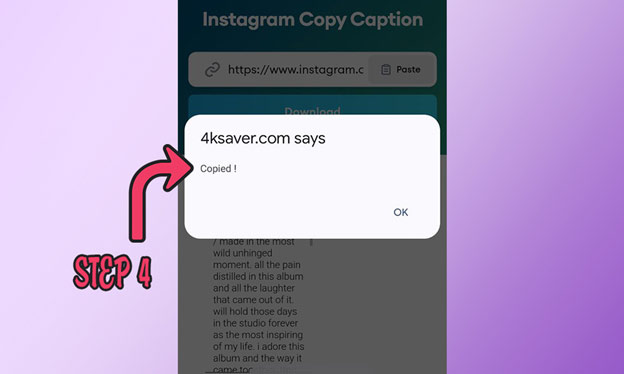
Return to the 4ksaver website or utility. Try to find a text field where you can type in the URL of the Instagram post. To go further with the tool, you should click a "Download," "Copy," or similar button, and you successfully copy the Instagram caption.
Our Tools

Frequently Asked Questions
This tool can be used for personal usage, such as copying captions for Instagram. Using repeated captions for commercial purposes without permission or credit may be illegal and unethical.
Using the 4ksaver.com website, users can copy and paste captions from other users' postings on Instagram, and the process of copying captions is entirely free.
Any internet-connected device with a web browser can access web-based solutions like 4KSAVER, and you can copy your desired Instagram caption using any device.
Sorry, this tool only works with public Instagram feeds. Copying Instagram Captions from private accounts is impossible on Instagram.
No registration or login is necessary. The 4ksaver.com link lets you copy Instagram captions easily without creating any account.